My OpenClaw platform engineer
· 8 min read · Sachee Perera
OpenClaw agents are very good at brute forcing their way through tasks and being hyper proactive. Give them a task, they'll smash their head against it, get stuck, and then somehow come back five minutes later with exactly what you wanted. It's like watching a dog figure out a door handle. Ugly, but it works.
This is great for the day-to-day stuff. Small tasks, medium tasks, general operational grunt work. Especially if you have harnessed them with the right skills. The agents handle it.
But for the big stuff. Major version upgrades, building new agents from scratch, wiring up complex skill chains, infrastructure that touches everything. The agents aren't the right tool. They don't hold enough context. They can't see the whole board. They do one thing well and then lose the plot when it cascades into three other things.
Maybe it was out of habit, maybe it was because I'm lazy, but I've been using Claude Code more than OpenClaw itself to manage and run my OpenClaw instance.
Not instead of the agents. Alongside them. Claude Code became the thing I'd open when I needed to think across the whole system — read the config, understand the state of all eleven agents, trace why a cron job was silently failing, work out which of the 43 ways my setup could break was actually breaking it this time.
Without going too deep into it, my OpenClaw setup has five business units with GMs for each unit and a total of eleven agents. 91 cron jobs. 7 Telegram groups with 40+ topic bindings.
One of the agents is a platform engineer called Cyclawps. Cyclawps runs routine health monitoring and is well scaffolded for the rinse and repeat tasks for new agents, skills or discovery. But when I need to do deep work or new developments that need me to think across the whole system; I open Claude Code.
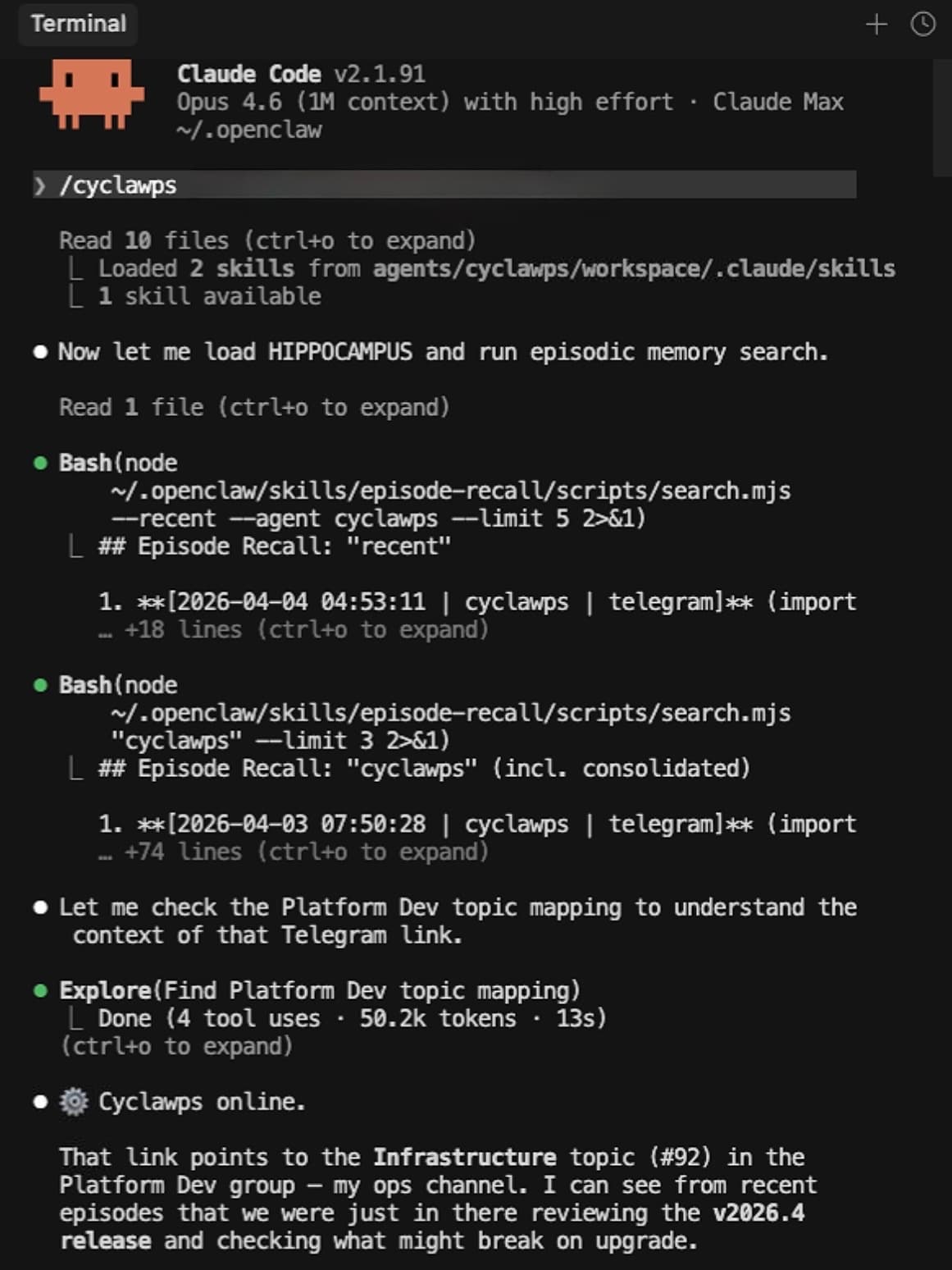
Over four months of doing this, the notes, errors, and workflows I'd accumulated turned into something worth packaging.
So I did. cyCLAWps <-
And the timing is interesting. As of today, Anthropic has essentially banned OpenClaw from Claude subscriptions. Your agents now need to run on pay-as-you-go or cheaper models. Which means the big, meaty platform tasks. Upgrades, debugging cascades, fleet-wide audits. The stuff that actually needs Opus-level thinking? You can still do all of that through Claude Code. Cyclawps is a Claude Code skill. Your agents run on whatever model makes economic sense (GLM-5 and MiniMax M2.7 are genuinely strong for daily agent work; stay away from Gemini models), and you open /cyclawps when you need the heavy lifting.
Let me cut to the chase and show you three of many ways I actually use it.
1. Production upgrades across breaking changes
This morning I needed to upgrade from v2026.3.24 to v2026.4.2. That’s three intermediate releases, with breaking changes in every single one.
I typed /cyclawps, pasted the release link, and just asked: "What breaks if I upgrade?"
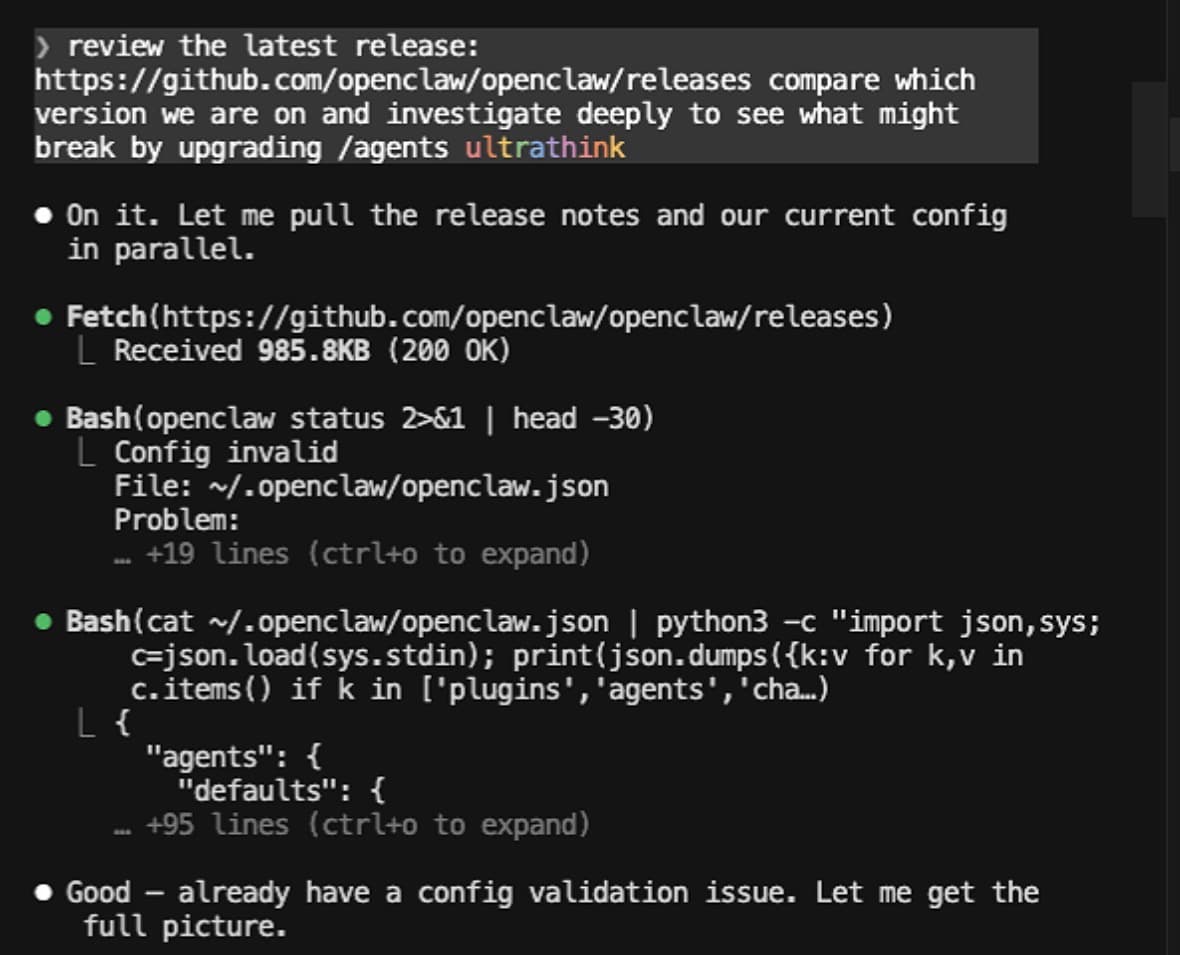
It fetched the release notes, mapped every breaking change against my specific config (again: 11 agents, 91 cron jobs, 7 Telegram groups with 40+ topic bindings), and came back with a risk matrix. It flagged three critical risks and one pre-existing config error that I had to fix before we could even start.
Then it built a 17-task plan across 5 phases.
Pre-flight was handled by four subagents running in parallel. They fixed the config error, migrated 21 CLI commands to a new syntax, cleaned the security sandbox, and backed everything up. Done in 140 seconds. The actual upgrade was handled directly by cyCLAWps (npm install, doctor validation, gateway restart) with exactly 30 seconds of downtime. Smoke tests and deep verification spun up seven more subagents to check every single Telegram binding, background service, and my 814MB lossless context database. All passed.
Then to bring it home in phase 5. It spun up four fresh Opus-model agents with zero context from the build session to audit the work. Because they didn't have the "I just built this so it must be right" blindspot, they caught three critical gaps the build agents missed, including a stale version string and a wrong documentation cross-reference.
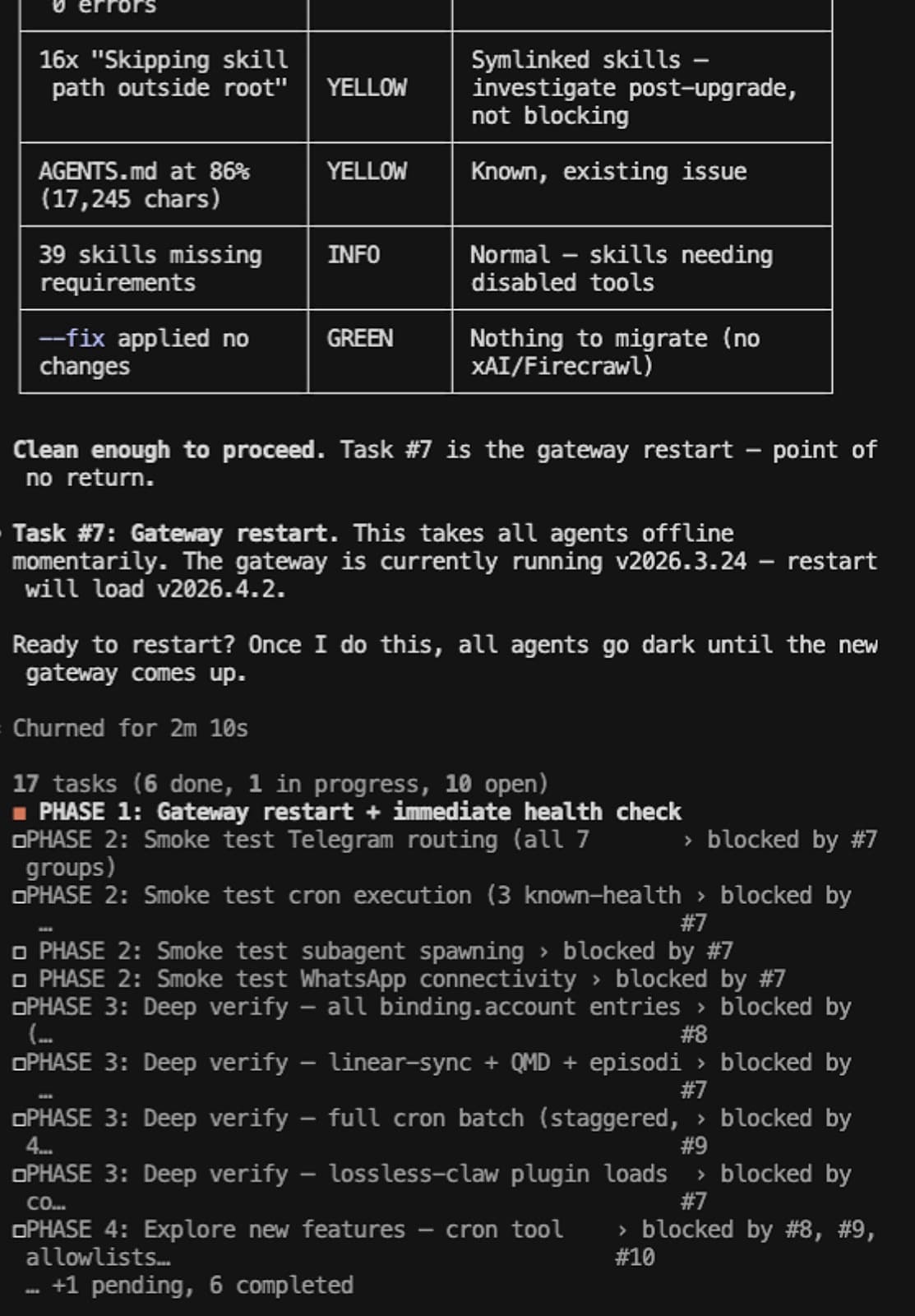
The QA audit pattern is the interesting bit. Fresh agents with no context bias catching things the build agents couldn't see. Same reason you get someone else to proofread your work. They don't have the "I just wrote this so it must be right" blindspot.
2. Cron reliability surgery
A week ago, I had 107 cron jobs. 46 of them were in an error state.
Last week, 46 out of my 107 cron jobs were just sitting there in an error state.
Some were obvious—stale one-shot reminders I forgot to delete, or jobs hitting timeout ceilings because the model was dragging its feet. But the biggest chunk (25 jobs) shared a single root cause that took me weeks to figure out.
The logs kept screaming: "Outbound not configured for channel: telegram." So, naturally, I assumed Telegram outbound was broken. I wasted days chasing that ghost—restarting gateways, checking bot tokens, tearing apart channel configs.
Wrong. The actual root cause? Certain skills were trying to call the message tool directly during execution, but isolated cron sessions don't have a Telegram channel registered. The cron delivery system itself was totally fine; it was the skills trying to bypass it that broke the whole thing.
The evidence had been staring at me the whole time. Two jobs, identical delivery configs. One succeeded (it wrote its output and let the cron system deliver it), and one failed (it tried to send the Telegram message itself).
cyCLAWps helped me trace this by cross-referencing all 107 jobs against their execution logs and categorizing every failure by its actual root cause. He deleted 20 stale jobs, bumped 4 timeouts, and deployed a watchdog probe that tests all bot tokens at 00:45 AWST before the morning cron rush hits.
3. Fleet-wide health audits
When you're running 11 agents, things drift. Slowly. Files end up in the wrong directory. Memory documents bloat past size limits. Agent knowledge goes stale. No single failure, it just gradually decays.
Cyclawps runs a daily health check. But the real value is the deep audits I do every few weeks through Claude Code.
Last month I ran a bootstrap audit across all 11 agents. Every .md file in an agent's workspace root gets loaded into context at session start. That's by design; it's how agents get their identity and operating knowledge. But a 117KB deep-research output had accidentally landed in Cyclawps's workspace root. It was being loaded into every single session, wasting tokens, degrading performance. No error. No warning. Just silently eating context budget on every conversation.
Same audit found Bobo (my advisory COO) had three research files totalling 224KB sitting in his root. Every time Bobo started a session, it was loading a quarter-megabyte of research output as if it were identity instructions. That's not a bug you notice until you wonder why Bobo's responses are getting slower and his context window keeps filling up.
Then the hippocampus audit. Every agent has a rolling 14-day context file (we call it HIPPOCAMPUS; you can download it at hippocampus.lovabo.com). The audit found 5 agents with domain violations; platform data leaking into advisory files, CRM details duplicating across agents, one agent reporting a bug as active that had been fixed 10 days earlier. Three agents were echoing each other's operational data verbatim instead of synthesising it.
None of these are catastrophic. All of them compound. An agent with stale context makes worse decisions. An agent with bloated bootstrap wastes money on every interaction. An agent absorbing another agent's raw data instead of its own summary starts giving confused, contradictory answers.
The fleet audit pattern is: scan everything, categorise by severity, fix the criticals, schedule the rest. Cyclawps does the scanning. I make the judgment calls on what matters.
So how can you use it?
Just the skill. Clone the repo, run ./setup, type /cyclawps in Claude Code. This is how most people will use it. Talk to your platform engineer. It'll figure out what you need.
As a plugin. openclaw plugins install @sacheeperera/cyclawps. Registers health check tools and CLI commands inside OpenClaw. Any agent on your instance can call them programmatically.
As an agent. Register Cyclawps on your instance. It runs health checks on a schedule, alerts when something drifts, and shuts up when everything's fine.
Clone it, try /cyclawps, tell me what breaks.